A workout plan in GymPilot has a period and training days, for example A, B and C. Every week is the same. Each line is either strength (sets, reps, weight, rest and the machine setting) or cardio (duration, level or speed and optionally distance).
Build and assign
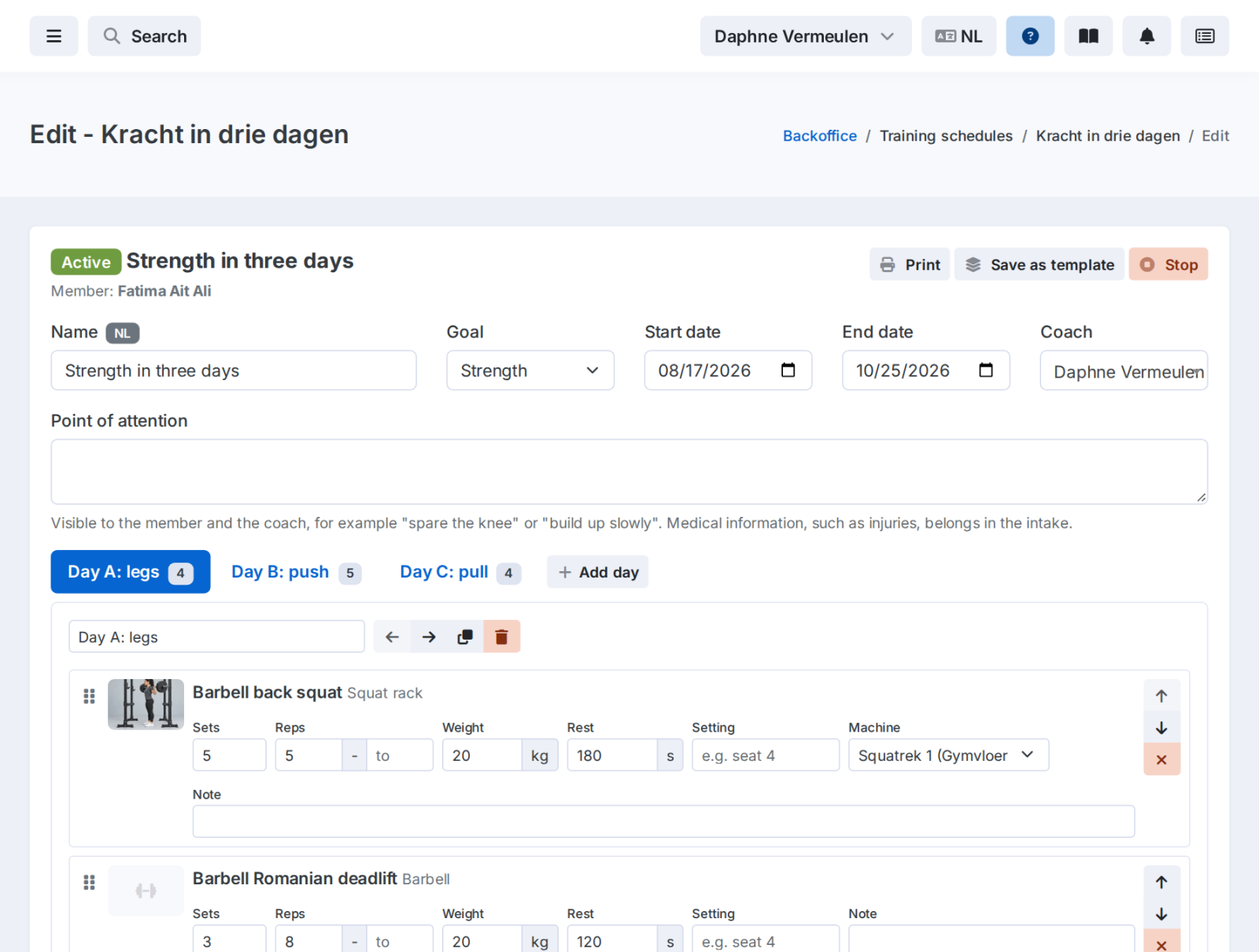
The editor
Days as tabs, exercises as cards you drag around. Find exercises with search and filters for type, machine and muscle group. You only see exercises for machines your gym actually has.
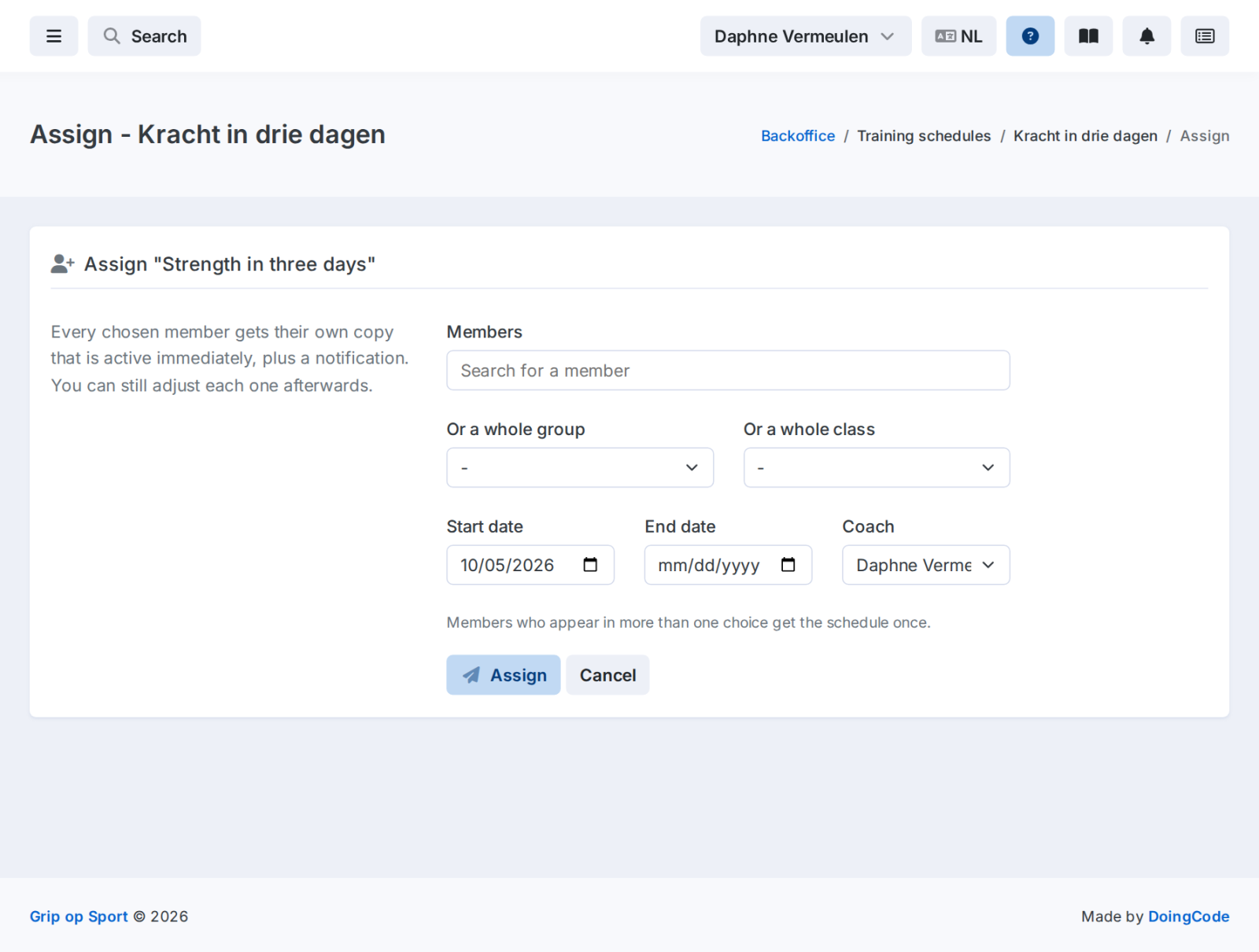
One member or a whole group
Give a workout plan or template to one member, a group or a class. Each member gets their own copy and a notification that the plan is ready.
- Seven standard templates to get you started, from full body for beginners to a three-day strength plan.
- Save any workout plan as your own template.
- Print a workout plan on A4 with a QR code linking to your member's plan.
- A week before the plan ends, the coach gets a reminder.
Your members choose how they train
On their phone, members decide for themselves: just view, check off each workout, or track weight and reps for every set.
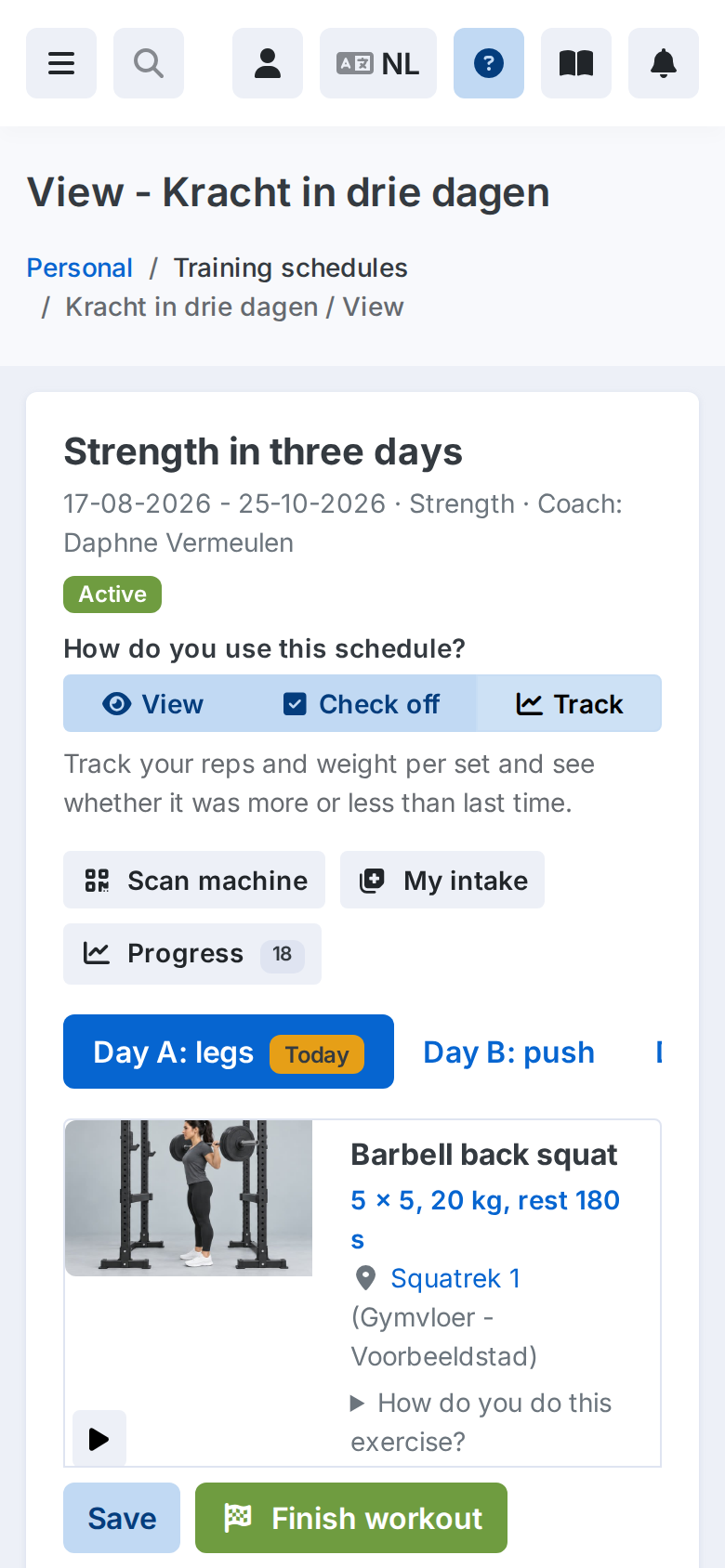
The plan in their pocket
A tab for each day, and for each exercise the motion demo, the prescription and the machine the member trains on.
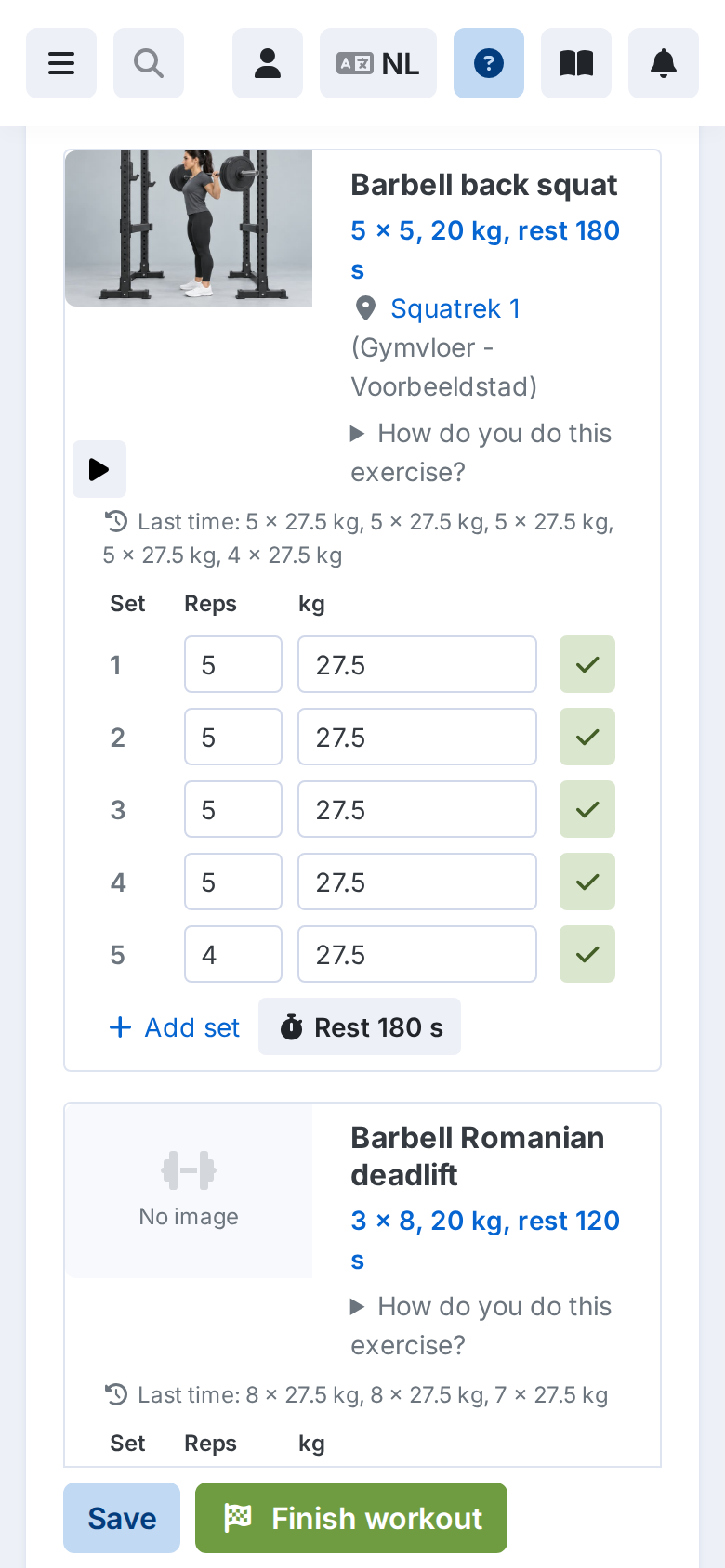
Track every set
Last session's numbers are already filled in. An arrow on each set shows whether it was more, less or the same.
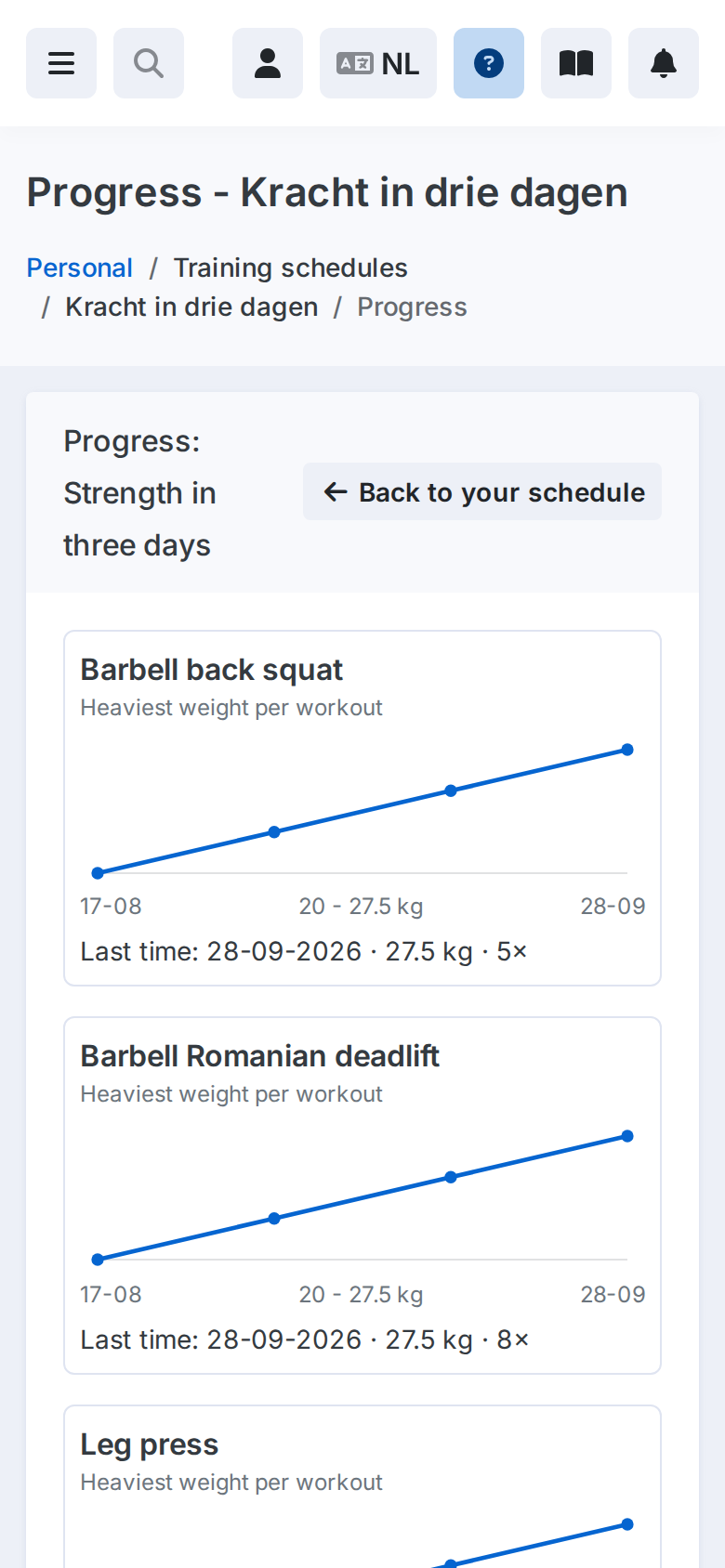
Progress, charted
A chart for each exercise showing the heaviest weight, longest duration or most reps per workout.
What the trainer sees
On a plan's edit page, the coach sees which mode the member uses and, for each workout, what was checked off or tracked. So you know who is making progress and who needs a new plan.
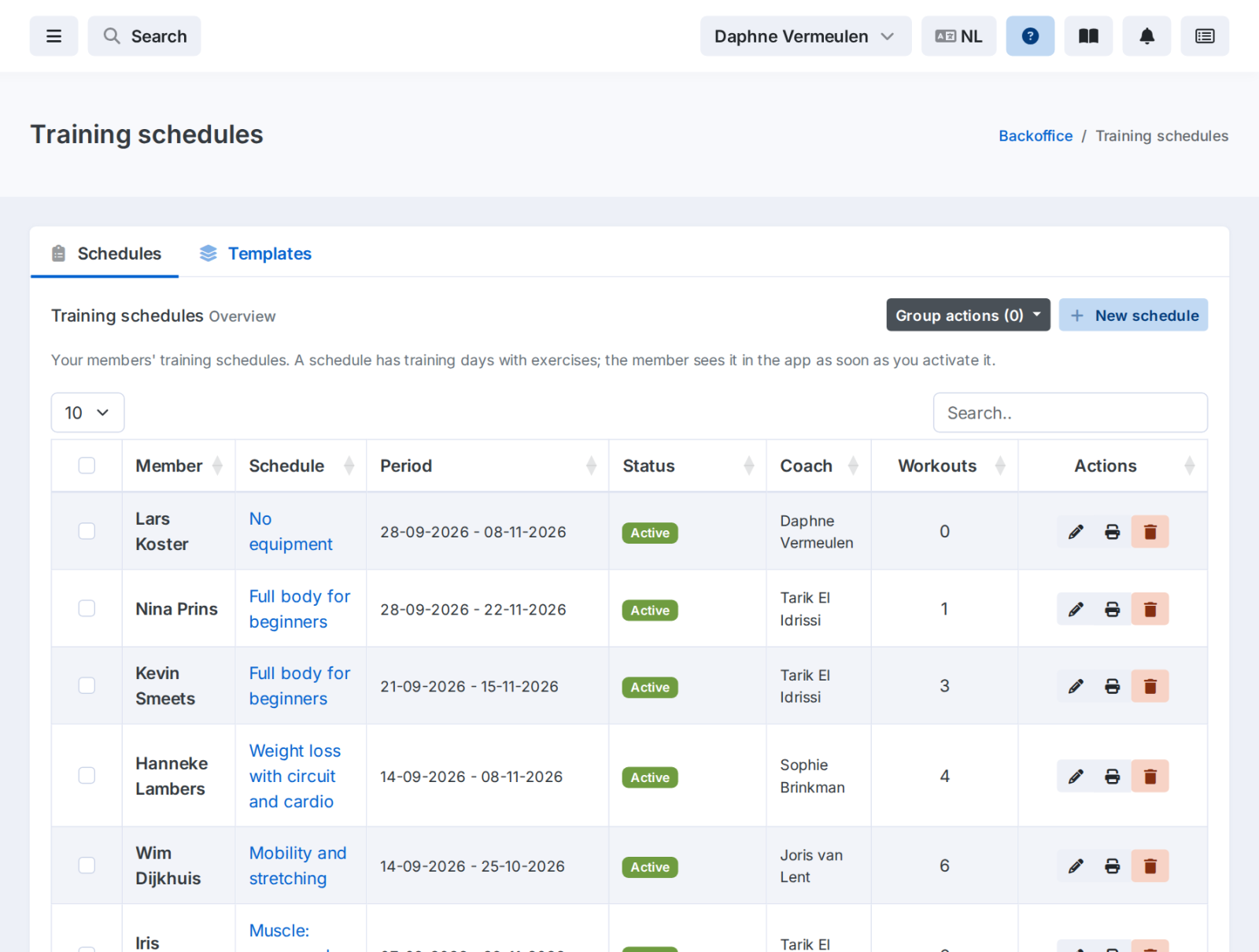
Every workout plan at a glance
Status, period, coach and number of workouts for each plan.
See GymPilot at work in your gym
Book a demo. We'll show you how a workout plan is ready in minutes and how your members train with it.